

Shape Shift Transitions
$19.99 Transitions
10 Geometric shape transitions for DaVinci Resolve.
Product Type: Transition
Supported Orientations: Landscape
Supported Resolutions: HD, 4K
DaVinci Resolve Version: 19 and above
Overview
Shape Shift Transitions for DaVinci Resolve is here to instantly inject energy and vibrancy into your videos.
This isn’t just a basic transition pack; it’s a collection of 10 hand crafted geometric and dynamically animated presets that will transform your footage using bold shapes, ripples, and streaks. This pack is perfect for music videos, vlogs, explainers, and anything that needs a serious visual punch. Just drag, drop, and watch your edits come alive!


Key Features
Like all our tools, Shape Shift is built for speed. You don’t need to touch the Fusion page or mess with complex settings. Simply drag any of the 10 presets onto the cut between two clips, and you’re done! Simply adjust the timing and customize the color options to fit your style.
- 10 Unique Presets: An entire collection of dynamic, ready-to-use geometric transitions to cover any style requirement.
- Drag-and-Drop Workflow: Simply drag the transition onto the cut between your clips.
- Full Color Customization: Every transition includes easy to use controls to change the colors of the shapes and backgrounds to perfectly match your brand or project aesthetic.
- Adjustable Timing: Easily control the duration and speed of the transition directly on the timeline.
10 Dynamic Presets
The Shape Shift Transitions pack gives you an array of geometric motion and unique animation. Here is a look at the 10 unique presets you get:
- Cell Swipe: A colorful, organic motion that wipes the frame with cell-like shapes.
- Circle Ripple: Three distinct variations that use concentric circles to ripple and expand across the screen, perfect for creating energetic reveals.
- Cross Ripple: A unique ripple effect that expands outward from the center using a cross or ‘X’ pattern.
- Double Box Slide: A clean, bold transition where two opposing rectangles slide across the screen to reveal the next clip.
- Pixel Streak: A vibrant, fast-moving transition that uses lines of pixels to streak across the screen, ideal for a high-tech or glitch aesthetic.
- Shape Swipe Down / Shape Swipe Left: Two directional transitions that utilize a wave of abstract geometric shapes to quickly wipe the scene downwards or to the left.
- Square Ripple: A shutter like effect that pushes spiraling square shapes outward across the frame, giving a bold, modern look.
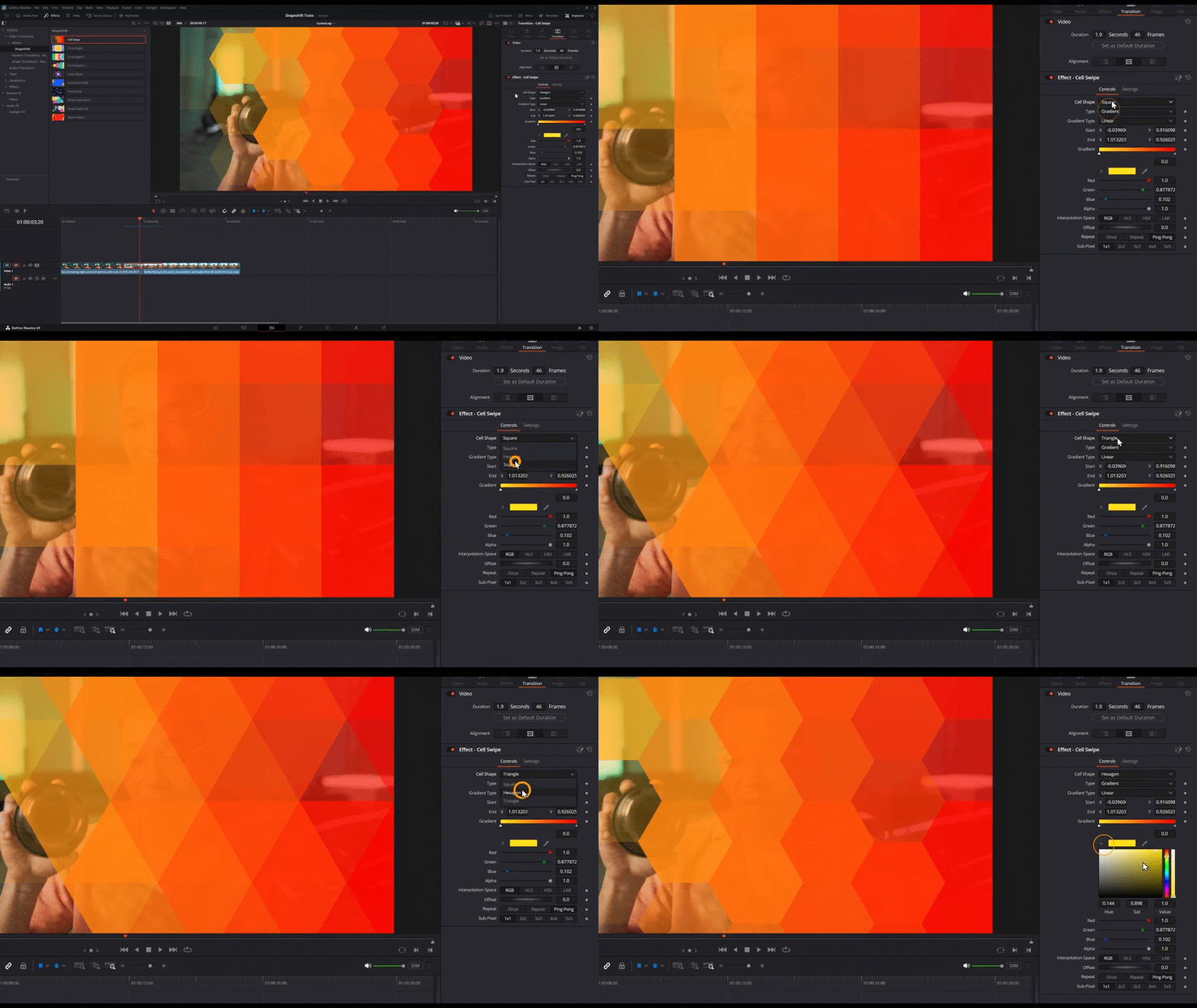
How to use Shape Shift Transitions
Installation
- Locate the downloaded file and double-click Shape Shift Transitions - Allavio.drfx
- DaVinci Resolve will open automatically and prompt you to install the template—click Install
- That's it! The transitions are now available in your Effects library
For detailed installation instructions, follow our how to install DaVinci Resolve templates guide.
Workflow and Tutorial
- Find the Transition: In DaVinci Resolve's Edit page, click the Effects button (top-left toolbar), then navigate to Video Transittions > Allavio > Shape Shift. You'll see all 10 different transitions.
- Full tutorial
Learn how to use tutorials inside DaVinci Resolve: How to Add Transitions